Product variant → parts and a BOM
We define part parameters and rules. A variant can produce a structured CSV/JSON bill of materials and a revision-identified documentation package.
Less manual transcription and easier consistency checks.
ENTERPRISE CONFIGURATOR
When a variant becomes an order, sales, engineering and assembly need consistent specifications. Enterprise demonstrates a path from defined product rules to parts, documents and operations. Explore a demo or pilot.

SEE HOW IT HELPS
A simplified mounting-plate example. Dimensions, holes and the parts list follow an explicit demonstration rule.
240 × 90 mm · 4 × Ø8 mm
| Item | Quantity |
|---|---|
| Mounting plate | 1 |
| Fastener | 4 |
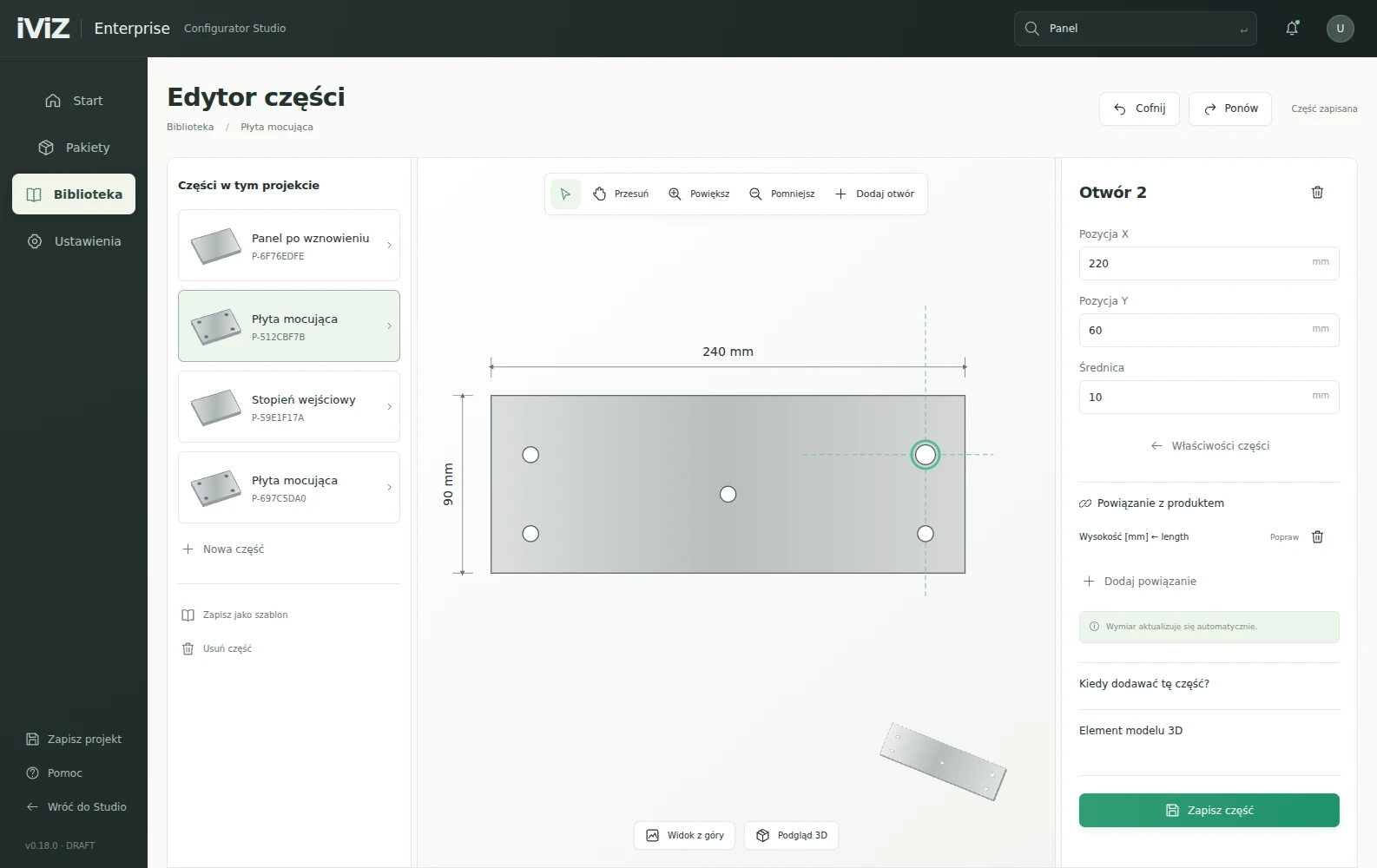
Educational example, not an approved part or manufacturing process. Height 90 mm, 2 rows of holes, 20 mm margin. Widths 240 / 360 / 480 mm: 4 / 6 / 8 holes. DXF contains nominal 2D geometry; CAM preparation and verification are required before use.
SEE HOW IT HELPS
Actual screens from the local v0.19 demonstrator. The product interface shown is in Polish. Choose a stage.


SEE HOW IT HELPS
This example estimates staff-hours, not financial returns. Change assumptions and include the effort of preparing source data.
Example values — replace them with your own team’s data.
Balance = orders × (current time − future time) − rule maintenance. Initial effort is separate. Example inputs, not a measured ROI claim.
Solutions
This is the scope of the local v0.19 demonstrator. Production use requires prepared data, validation and agreed integrations.
We define part parameters and rules. A variant can produce a structured CSV/JSON bill of materials and a revision-identified documentation package.
Less manual transcription and easier consistency checks.
The demonstrator exports flat outlines and holes in DXF, plus SVG/PDF drawings. These are inputs to manufacturing preparation, not a finished machining program.
A starting point for engineering without recreating basic geometry.
An author assigns parts, tools, notes and model views to steps. Operators review the sequence; assembly instructions can also be exported to PDF.
Easier access to the agreed sequence and less reliance on an untracked printout.
QR/Code128 identifiers support picking the correct revision. OK/NOK checks, measurement ranges, photos and issues lead into boxes or pallets.
See what was prepared, checked and assigned to a shipment.
SEE THE OUTPUT
Open an example and see which information you could use in your next task.
ENTERPRISE / DEMO
Example BOM and nominal DXF downloads. Actual interface captures also show authored assembly steps.
See the output →START WITH A SMALL SCOPE
We match the initial scope to your problem and available materials. Before starting, we agree on the output and how to evaluate it.
Scope, timing and cost are agreed after reviewing your materials. If data is missing, we can include digital capture in the proposal.
FAQ
The export contains nominal 2D geometry in millimetres. Tool selection, compensation, paths, a postprocessor, G-code and process approval belong to CAM preparation.
The current version is a local DRAFT/DEMO. It does not include a finished backend, multi-user operations or ERP integration. Deployment scope is agreed through a pilot.
No. Steps and rules must be authored for the product. The model supports their presentation; instructions require approval.
YOUR PROJECT
Tell us about your development, BIM model or product. We will establish where to start and what you will receive.